Key takeaways
- The twelve prompts cover the whole loop: a voice guide, research, a four-week calendar, drafts, an editorial review, the first hour after publishing, and reporting.
- Write the standing context once. Everything else depends on it, and it is the only part no assistant can produce for you.
- The assistants differ in one way that matters: whether the context sits in a file you can open or inside an account you cannot.
- None of them should publish for you. Automated posting is what LinkedIn restricts accounts for.
LinkedIn maxxing means handing an AI assistant the groundwork behind a good post, such as understanding customers, finding an angle, collecting evidence and checking what you can credibly say, and keeping the argument itself yours. Asking it for "a LinkedIn post about X" skips exactly that groundwork, which is why such posts read as empty.
The 12 prompts below turn the groundwork into a routine you can repeat, from researching your market to planning a content calendar and finding which posts led to real business conversations.
By the end you will have:
- A voice guide built from the way you actually write and speak.
- Research that finds good ideas before the calendar asks for them.
- A drafting and review process with clear quality standards.
- Reporting that tells you what to write next.
LinkedIn maxxing needs one home for the brief. An assistant fits because one place can hold the standing brief, the files behind it and the research you collect, so every prompt starts from the same background instead of from an empty box.
Keep this page for your next content planning session.
What context does an assistant need before the first prompt?
Your job title and a request to "sound human" are not enough. An assistant needs to know who you sell to, what you believe and which claims you can back up.
Start by pasting this:
Treat what follows as the standing context for my LinkedIn content. Turn it into a reference document I can store as a source in this project, and tell me which parts should go into the project instructions. Business: [company name, website, product or service, how we make money, usual sales cycle]. Audience: [customer roles, company sizes, industries, locations]. Their biggest problems are [problems], the objections they raise most are [objections], and the events that send them looking for help are [triggers]. Positioning: we help [audience] reach [outcome] by [approach]. What sets us apart: [differences]. We are the wrong choice for [disqualifiers]. Viewpoint: I hold these three opinions about my industry: [opinions]. I disagree with [common advice] because [reason].
Evidence: draw only on these approved case studies, results, examples and personal experiences: [sources]. Never make up customers, revenue numbers, stories or quotes. Voice: these [10-20 posts] and [transcripts or writing samples] sound like me. Stay away from [phrases, tones, formatting habits]. Goals: my main LinkedIn goal is [qualified conversations / deal support / recruiting / awareness]. My offer is [offer], and I want interested readers to [action]. Working rules: use connected sources only where you have access and permission. If you can't open a source, ask me for an export or pasted text. Publishing, comments, connection requests and messages on LinkedIn stay with me. Put drafts in [review destination], keep evidence apart from inference, and flag anything that needs my input.
Update that context whenever your offer, audience or opinions change.
Part 1: research and content production
Prompts 1-8.
1. How do you build a voice guide?
A useful voice guide explains the decisions behind your writing: how you introduce an argument, use examples and move from one idea to the next.
A label like "conversational and authoritative" does not help anyone write.
Study the posts and transcripts I've attached and build a practical voice guide for my LinkedIn writing. Describe how I open a post, explain an idea and close an argument. My usual vocabulary, sentence length, paragraph length and use of lists. How I show disagreement, doubt, humour and confidence. And the phrases I use naturally, quoted word for word with a source reference. Note habits that show up in my weaker examples so they don't become rules. Add a list of phrases and patterns to avoid, including needless repetition, invented drama, certainty I can't support and too many one-line paragraphs. End with three before-and-after edits that turn generic copy into my voice without changing what it says. Make the guide concrete enough for another writer to follow.
Why it matters: a good voice guide makes your feedback reusable. You stop fixing the same phrasing every week and improve the instructions behind every draft.
2. How do you find the customer questions worth answering?
Sales calls and customer conversations bring up questions no keyword tool will show you. The best ones usually sit around a decision the customer finds hard.
Go through the sales calls, support threads, customer interviews and closed-lost notes I've supplied from [period]. Sort the questions that keep coming back into five groups: problems customers are trying to make sense of, worries that slow a decision, alternatives they are weighing, expectations that end in disappointment, and questions they ask just before they sign. For every theme, give one anonymised quote, its source, how many separate conversations mention it, the customer's role and their stage in the decision. Suggest two LinkedIn angles per theme, one that helps readers diagnose the problem and one that helps them judge a solution. Rank the ten strongest by how often they recur, how much they matter commercially and how good our evidence is. Keep what customers said apart from your interpretation.
Why it matters: you get a backlog of topics tied to conversations your company is already having, in language you recognise and with evidence you can verify.
3. How do you spot topics moving from X into your market?
A debate picking up on X can become a strong LinkedIn post, as long as you explain why it matters to your customers and add something beyond a summary.
Using web search, deep research limited to the sites I name, and the X posts and threads I link or paste, review the past [seven days] of discussion about [topics] and from these accounts: [accounts]. Find up to 10 developments or arguments that matter to [customer]. For each, give the original source, author, date and link. A neutral summary of what happened or what people are arguing. The strongest competing readings. What it means for our audience day to day. And an angle we could support with our own experience or evidence. Treat reaction counts as a snapshot, do not take popularity as proof, and check factual claims against the original source where you can. Recommend three ideas to develop and say what I would need to add before each one becomes a credible LinkedIn post.
Why it matters: research gives you somewhere to start, and your judgment gives readers a reason to follow you. A good adaptation ties the debate to a decision your readers really face.
4. How do you analyse posts that beat their author's usual results?
Measuring every post against a famous account's biggest hit skews your research. First compare a post with what its author usually gets, then look at what might explain the gap.
Analyse the LinkedIn swipe file I've attached along with whatever performance data it has: [file]. Where the data allows a fair comparison, set each post's reactions, comments and reposts against the author's median for a similar format and period. Show the calculation, and flag small samples, missing metrics and very recent posts. For the clearest outliers, describe the topic and intended reader. The opening, argument, evidence and close. The format and rough length. Whether the discussion under it suggests real customer interest. And possible confounders such as a launch, a news event or unusually wide distribution. Turn this into five reusable structural patterns, then suggest one original idea for each based on my own experience. Do not copy distinctive wording, and do not present a pattern you observed as a rule of the algorithm.
Why it matters: you end up with hypotheses worth testing, and you avoid assuming that copying a successful layout will copy its results.
5. How do you turn recorded know-how into original posts?
A transcript can hide a strong post inside a story, a throwaway explanation or a disagreement that deserved more attention than it got at the time.
Read this interview, podcast, webinar or meeting transcript: [source]. Find eight moments that could carry an original LinkedIn post. Favour decisions, mistakes, surprising observations, practical explanations and opinions grounded in experience. For each moment, give the exact quote with its timestamp or location. The main idea and who would gain from it. Any context needed so the speaker is not misrepresented. Facts we already have that support it. And one follow-up question that would make the idea stronger. Choose the three best moments and draft a post from each in my voice guide. Keep the speaker's level of certainty, strip out confidential details, and leave placeholders wherever a result or example still needs confirming.
Why it matters: you can publish from knowledge that already exists, without asking someone to come up with a fresh opinion every time the calendar has a gap.
6. How do you build a four-week content calendar?
A calendar should weigh what customers need to understand against what you have enough evidence to say. Filling every slot with another version of your offer makes your feed repetitive.
Plan four weeks of LinkedIn posts at [three posts a week] from the ideas we approved in research. Mix practical explanations that help customers solve a problem, opinions backed by experience or evidence, customer examples we have permission to use, answers to objections and late-stage questions, and the occasional offer post with a fitting next step. For every post, state the reader, the one goal, the main argument, the source material, the suggested format and what the reader should do afterwards. Check for repeated topics, overlapping arguments, unsupported claims and too many promotional posts. Write full briefs for week one and shorter outlines for weeks two to four. Leave one slot a week open for something timely, since the calendar does not have to stay fixed.
Why it matters: a good calendar cuts weekly planning time and still leaves space for better ideas, new evidence and changes in the market.
7. How do you get drafts that actually say something?
Your research should settle the argument before the assistant starts polishing sentences. Skip that and you get tidy prose that takes several paragraphs to state the obvious.
Write three LinkedIn drafts from these approved briefs: [briefs], using my business context and voice guide. In each draft, make one clear argument for one intended reader. Open with a specific observation, tension, result or question that the brief supports. Explain the reasoning through a concrete example. Use bullets where they make parallel items easier to scan. Vary sentence and paragraph length, with the odd one-line paragraph for emphasis. Close with a useful implication or a natural next step. Aim for [180-300 words] unless the idea needs a different length. Avoid repeating the ending, made-up personal stories, inflated promises and formulaic contrasts. Give two alternative openings and say briefly how each shifts the emphasis. List missing evidence separately from the copy that is ready to publish.
Why it matters: clear constraints produce drafts that are easier to judge, so your review can focus on the argument instead of cutting filler.
8. How do you set up a separate editorial review?
Give the reviewer one clear job: find the weak spots in a draft and explain how to fix them. A comforting "This is strong" is no editorial process at all.
Review these LinkedIn drafts against the brief, the source material, my business context and my voice guide. Score each out of 100: relevance to customers up to 25, specificity and evidence up to 25, strength and clarity of the argument up to 20, match with my voice up to 20, readability and formatting up to 10. Show what each score is based on. Check every factual claim, mark generic passages, and flag repetition, abrupt one-line fragments and paragraphs that would read better as lists. Return a revision ready to publish, a short note on the changes that matter, and any open questions. Treat invented evidence, exposed confidential information or a misrepresented source as a blocker whatever the score. Keep everything in the review document until a human approves it.
Why it matters: a rubric makes your standards explicit. The score organises the feedback, and the source checks plus your editor's judgment decide whether the post is ready.
What should happen in the first hour after you publish?
This is the one part of LinkedIn maxxing that stays manual.
Everything above comes back to one moment: the first hour after the post goes live, when you want as many people as possible to read it and react.
Start with people you can reach. Colleagues, friends, relatives and clients: anyone you can actually contact. Ask them to read the post and react while it is new.
If you have nobody to ask, use a community where real members act by hand. The groups below are ones we checked for other articles, and they are a reasonable place to start.
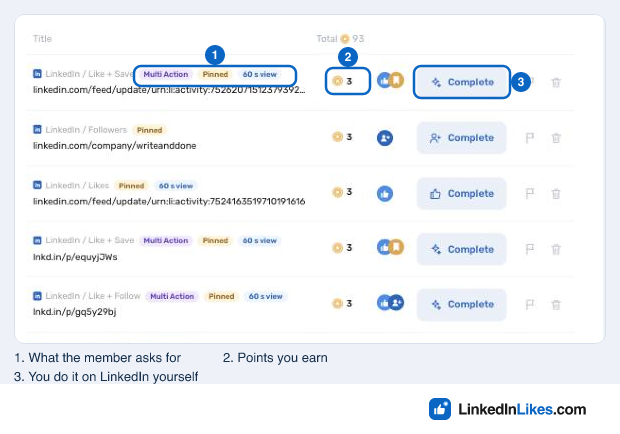
LinkedInLikes is our own free community. Members like, comment on and save each other's posts by hand from their own LinkedIn accounts. You sign up with email, get your first task free, paste a post link and choose the action. Comments are written by members in their own words, and nobody asks for your LinkedIn password.
Get comments on your post with LinkedInLikes
Part 2: pipeline and performance
Prompts 9-12.
9. How do you write about deals that got stuck?
Some of your most useful posts may answer a worry that several prospects raised in private. The aim is to explain the issue so clearly that future customers arrive better informed.
Go through the CRM records and call notes I've supplied for qualified deals that got stuck during [period]. Find the objections that recur and separate three kinds: objections stated outright in conversations, possible explanations nobody has confirmed, and operational delays that no post will fix. For each repeated objection, note the customer's role, the deal stage, the evidence we have and the question a useful LinkedIn post should answer. Propose five content briefs. Each should present the concern fairly, show where our approach fits, admit where it does not and name the proof we need. Draft the two strongest posts without naming prospects or exposing deal details. Separately, list approved resources a salesperson could share in a relevant conversation.
Why it matters: this links marketing to the questions salespeople keep having to answer, and it stops you writing persuasive posts about problems customers do not care about.
10. How do you prepare replies to the conversations your posts start?
When someone responds to a post, the right next move depends on what they said and whether a business conversation would be welcome. A like or a comment alone does not prove business interest.
Read these LinkedIn conversations I've supplied: [comments, inbound messages or interactions I noted by hand]. Put them into four groups: questions that deserve a useful public answer, conversations where sharing a resource would help, clear interest in our offer, and general discussion with no business next step. For each relevant conversation, sum up what the person said they need, the business context we have and what we still don't know. Draft a reply that deals with their actual message before bringing up anything else. Where it fits, suggest one follow-up question or one resource we already have. Do not read business interest into a like, pretend to know someone, or push a meeting request into a conversation that doesn't call for one. Keep every reply as a draft for me to check and send.
Why it matters: preparing replies makes them more thoughtful without turning every exchange into a sales sequence. Sometimes the right result is simply a helpful answer.
11. How do you report on business results honestly?
Impressions show you how far a post spread. They cannot show whether the right people became interested or whether a post helped close a deal.
Combine the LinkedIn analytics, tracked website visits, inbound enquiry records and relevant CRM data I've supplied for [period]. Report on reach, reactions and comments by post, topic and format. Qualified inbound conversations. Resource sign-ups and demo requests where we track them. Opportunities with a documented LinkedIn touch. And the time spent producing and reviewing content. Keep directly tracked conversions, self-reported discovery and possible influence apart. Do not attribute a whole deal to LinkedIn because one contact reacted to a post. Mark the posts that reached relevant customers, the ones that reached a wide but less relevant audience, and the ones with too little data to judge. End with three findings, three limitations and one experiment to run next. Where you can, compare posts at the same age so new posts are not judged against older ones.
Why it matters: better reporting gives you a reason to keep or change an approach, and it keeps uncertainty visible instead of turning patchy tracking into a confident revenue claim.
12. How do you turn your edits into a better system?
Each draft you edit tells you something about your standards. Record the lessons that keep repeating and you will spend less time fixing the same problems.
Compare the original drafts, my edits, the versions I published and whatever performance data we have for [period]. Find the voice corrections I keep making, claims that needed more evidence, ideas that got clearer once they were framed differently, formatting changes that made posts easier to read, and topics that led to useful customer conversations. Propose updates to the voice guide, the research briefs and the editorial checklist. For every new rule, give an example, explain what it is for and say when an exception makes sense. Keep style preferences apart from performance hypotheses. Never turn a single post, good or bad, into a permanent rule. Return a short change log for my approval and suggest one controlled experiment for next month.
Why it matters: this is how the workflow gets easier to run over time. Your corrections become usable guidance, and ideas about performance stay testable instead of hardening into superstition.
How do you roll out LinkedIn maxxing?
Add the workflow in stages, so you can check each output before taking on another recurring job.
Week 1, foundation: load your business context, run prompt 1 and test the voice guide against writing you would really publish. Do all of it inside the LinkedIn project so the guide ends up as a source.
Week 2, research backlog: run prompts 2-4 on a manageable set of customer conversations, market sources and LinkedIn examples. Deep research handles prompt 3, while prompts 2 and 4 work best with files attached.
Week 3, first batch: use prompts 5-7 to turn approved material into a calendar and a few drafts. Let Work produce the calendar file and keep the drafting in Chat.
Week 4, review: run prompt 8, publish the posts you approve, give each one its first hour of attention and write down the changes you make. The review runs in its own chat.
Weeks 5-6, conversations: add prompts 9 and 10 where you have enough sales context and inbound activity for them to be useful. Now is the time to check which of your apps, such as the CRM, appear under Settings > Plugins.
Every month after that: use prompts 11 and 12 to review results, improve the instructions and pick the next experiment. Prompt 11 is the first one worth scheduling.
What is worth putting on a schedule?
For every recurring job, decide its inputs, destination, frequency and owner. Test a run before you rely on the schedule, and ask the assistant to report missing access or unfinished work.
Most of these assistants can run a job on a schedule, and the ones that cannot will still do it when you ask. Which jobs are worth repeating matters more than how the schedule is set: prompt 3 weekly, prompt 11 monthly, and nothing else until those two run without you fixing them. The list further down says where each assistant keeps the context those runs depend on.
A scheduled Work request for prompt 3 could say: "Every Monday at 8 AM [time zone], run the X research prompt in this project with the sites from last week's plan, deliver the report as a document and list any source you could not open." Run it once by hand in the same project first and compare the result with what you would have chosen yourself.
You do not need 12 separate automations on day one. Start with the job that takes the most time and produces something you can judge reliably.
Where can you run LinkedIn maxxing, and where does the context live?
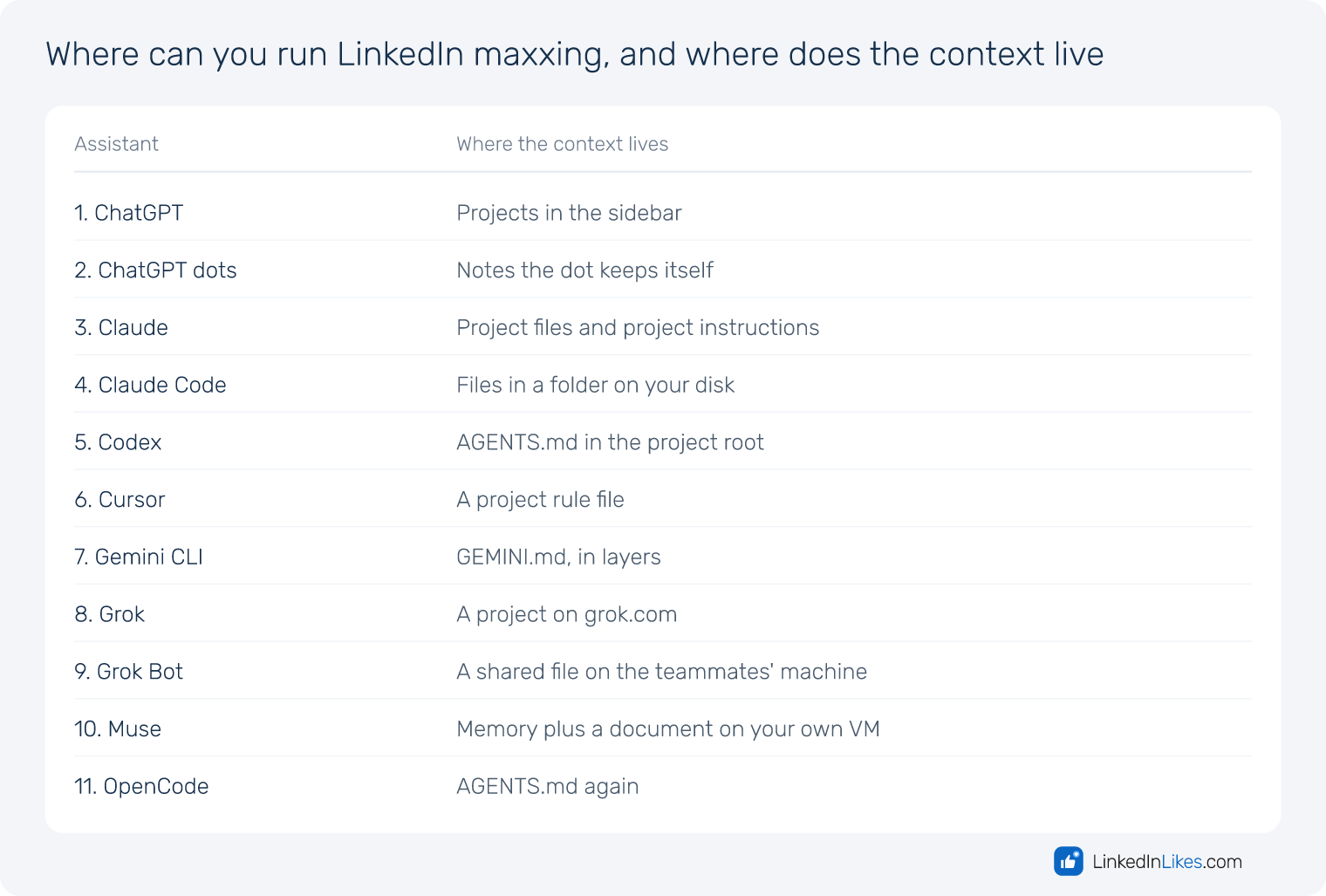
The twelve prompts above are the same wherever you run them, so LinkedIn maxxing is a method rather than a product. What changes from one assistant to the next is a single practical question: where the standing context lives, so you never paste it twice. That is the whole of the difference, and it splits the field in two. Some keep the context inside an account, where you cannot read it directly. Others keep it in a file you can open, correct and copy somewhere else.
| Assistant | Where the context lives |
|---|---|
| 1. ChatGPT | Projects in the sidebar |
| 2. ChatGPT dots | Notes the dot keeps itself |
| 3. Claude | Project files and project instructions |
| 4. Claude Code | Files in a folder on your disk |
| 5. Codex | AGENTS.md in the project root |
| 6. Cursor | A project rule file |
| 7. Gemini CLI | GEMINI.md, in layers |
| 8. Grok | A project on grok.com |
| 9. Grok Bot | A shared file on the teammates' machine |
| 10. Muse | Memory plus a document on your own VM |
| 11. OpenCode | AGENTS.md again |
1. ChatGPT
Choose New project, name it something like "LinkedIn content", and paste the working rules into the project instructions. Inside a project those instructions override your general custom instructions, and every new chat in it starts from the same background. Your posts, transcripts and case studies go in as project files.
2. ChatGPT dots
A dot draws on three layers: the chat you are in, the relevant parts of your ChatGPT memory, and its own notes on your decisions and ongoing work. Those notes follow it into Slack, Teams and calls, so you can brief it at the desk and correct it from a phone. They are not a transcript and they sit apart from saved memory, so changing a memory setting does not change what the dot already noted.
3. Claude
Make one Project for the whole workflow. Business context, voice guide and research go in as project files, the rules that apply to every chat go in the project instructions, and preferences that follow you everywhere go in Settings. Anything Claude works out along the way lands in memory, which is worth reading after the first week.
4. Claude Code
It works inside whatever folder you start it in, and the Claude Code documentation is clear that the folder does not have to hold code. An empty one called linkedin is enough. A CLAUDE.md at the root points at a context/ folder with the business context, the voice guide, your best posts and your sources, and the drafts, research and published work get folders of their own.
5. Codex
Give LinkedIn its own folder, open it in the desktop app or run codex inside it, and have the answer to the context prompt saved as AGENTS.md, the convention documented at AGENTS.md. It is read automatically at the start of every session. Run /init first if you want the skeleton built for you. Keep AGENTS.md short and let it link to longer files.
6. Cursor
Cursor dropped automatic memories, and a new chat sees nothing of the earlier ones, so only what you write into files carries over. Put the context in .cursor/rules/business-context.mdc with alwaysApply set, the format Cursor documents under Rules,, and keep drafts, research and published work in the same folder.
7. Gemini CLI
Every session loads GEMINI.md files in order, as the Gemini CLI repository sets out: one in ~/.gemini for everything you do, one in the project folder, and narrower ones in subfolders. Keep the project file short and import the longer context files into it rather than pasting them in.
8. Grok
A project gives you three places for the material: the instructions field on the config tab for the context, the file tree for posts and transcripts, and automations for anything that should run on a schedule.
9. Grok Bot
Grok Bot is a separate app from the Grok chat app. You create named teammates with one job each, and every teammate on the account works on the same cloud computer with a browser, a filesystem and a terminal. The context goes into a file there that all of them can read.
10. Muse
Muse holds context in memory, in artifacts and in documents on your own Secure VM. Save the brief as a document and tell Muse to read it before any content work. Open the memory files after the first week: one wrong memory quietly colours every draft after it.
11. OpenCode
Make a working folder, start opencode in it and run /init, which, per the OpenCode documentation, writes an AGENTS.md that is added to the model's context every session. Paste the context prompt and have the answer saved there, or into context/business.md once it grows. Rewrite whatever /init produces for writing rather than for code.
Which assistant should you pick for LinkedIn maxxing?
If you already pay for one of these, use that one for your LinkedIn maxxing. The method is what produces the posts, and every assistant on the list can hold a brief and follow it. Switching tools to get better writing is the slowest way to get better writing.
If you are choosing from scratch, decide first whether you want the context in a file or in an account. A file you can read, correct, copy to another machine and hand to someone else. Claude Code, Codex, OpenCode and Gemini CLI all work that way, and Cursor does once you write the rule file, although it is built for code and keeps nothing between chats by itself. An account is less work to start: ChatGPT, Claude and Grok projects hold the brief for you and need no folder at all.
Two of them are worth a note. Grok Bot and Muse keep your material on their own machine, which is convenient while you use them and awkward the day you stop. If the context is work you want to keep, write it somewhere you control and copy it in.
What can't any of them do for you?
LinkedIn maxxing stops at the point where judgement starts. None of them knows what happened on your calls, which deal went quiet, or what you actually believe. They write from what you give them, so the brief and the transcripts are the work. None of them should publish for you either: automated posting is what LinkedIn restricts accounts for, and the last read before you press post is the one that catches the claim you cannot back up.
Never let one invent a customer, a revenue figure, a story or a quote. Mark anything without a source as needing evidence and find the source, or cut the line.
Where to go next
LinkedIn maxxing ends when you press post. Once a post is live, the first hour is still the part you cannot automate. If your circle is small, members on LinkedInLikes can give a new post its first reactions by hand, and you can read how the feed treats them in the LinkedIn algorithm.
Where to go next
Frequently asked questions
Running your LinkedIn content as one system rather than as separate posts: a written brief about your business and voice, research into what your audience asks, a calendar, drafts, a review step before publishing, and a report afterwards. The twelve prompts on this page are one way to do it with an AI assistant.
The one you already pay for. All eleven on this page can hold a standing brief and follow it, and the method does far more for the writing than the choice of tool. If you are starting from nothing, pick by where you want the context to live: a file you control, or an account that keeps it for you.
It should not. Automated posting and commenting are what LinkedIn restricts accounts for, and the read you give a draft before publishing is what catches a claim you cannot back up. Use the assistant to research, draft and review, and press post yourself.
Somewhere you can read and correct it. In the file-based tools that is AGENTS.md, CLAUDE.md, GEMINI.md or a Cursor rule file. In ChatGPT, Claude and Grok it is the project instructions plus project files. Either way, write it once and point every prompt at it.
The context brief is an hour or two of honest writing, and it is the part that decides everything after it. You then run the twelve prompts as you need them, not in one sitting. The rollout section above suggests an order.